If you run a small or growing company, the most important system you own is probably the one you think about least: Microsoft 365 or Google Workspace. Your e-mail, your files, your calendar and your sign-in to half your other tools all live there.
That makes it the first place attackers go. Most break-ins at small companies don't start with anything clever. They start with one e-mail account: a reused password, a fake sign-in page, an approval tapped on a phone without thinking.
The defaults are much better than they were. But most accounts were set up years ago, in a hurry, by someone who has since moved on - and the defaults don't fix what was set up before them. Here's what's worth checking.
Multi-factor sign-in, for everyone
This is the one that matters most. With multi-factor sign-in, a stolen password on its own isn't enough to get in.
The question isn't "do we have it?" but "does everyone have it?" The usual gaps: the boss who found it annoying, the shared accounts, the old accounts nobody uses, and the admin accounts. Both Microsoft and Google can show you who's registered and who isn't. Ask to see the list.
Who has the keys
Count the people with full admin rights. It should be two to four - never one person, never everyone.
Admins should do admin work from a separate account, not the one they use for e-mail every day. And someone at the company - not only your IT provider - should be able to get in if your admin left tomorrow. An emergency admin account, with a long password kept sealed, is cheap insurance.
While you're there: is the account in the company's name, and is the domain registered to the company? You'd be surprised how often it's a former employee's or a provider's.
People who've left
Compare the list of users with your list of staff. Every account belonging to someone who's gone is an unwatched door, and you're usually still paying for it. Leavers should be blocked on their last day, with their files handed over first.
E-mail forwarding to outside addresses
This is how a lot of invoice fraud starts. An attacker gets into one mailbox and quietly adds a rule that copies every e-mail to an outside address. Then they wait for an invoice, and send their own version with new bank details.
Turn off automatic forwarding to outside addresses for everyone. Very few people need it, and those who do can be exceptions.
Sharing
Look at how files can be shared outside the company. "Anyone with the link" is convenient, and it means anyone who gets the link, forever. Limit it, or make those links expire, and make new files private by default.
And check where company files live: in shared sites and shared drives, or in one person's personal storage. Files in a personal drive leave with that person.
Apps that can read your data
Staff can often connect outside apps to their work account with a single click - and some of those apps ask to read every e-mail and file. Check which apps are connected, and change the settings so new ones need an administrator's approval.
Backup
Microsoft 365 and Google Workspace keep deleted files and e-mails for a while. That isn't the same as a backup. If something is deleted, encrypted by ransomware or lost when an account is removed, the built-in recycle bins only reach back so far.
A backup you control, from a third-party service, closes that gap. Then test it: restore something real, once a quarter.
The built-in score
Microsoft has Secure Score, and Google has security recommendations on some plans. They're not perfect, but they're a free list of what's missing. Look at it every quarter, and either do the top suggestions or decide - knowingly - not to.
Don't change it all in one afternoon
Turning on multi-factor sign-in or blocking forwarding can catch people out. Tell staff what's changing and when, start with the admins, and keep someone on hand the first morning. A weekend's careful work beats a Monday of locked-out staff.
Want the full list? The Microsoft 365 and Google Workspace Security Check covers 23 settings, with where to find each one in both admin centers, what good looks like, and which need a higher-priced plan.
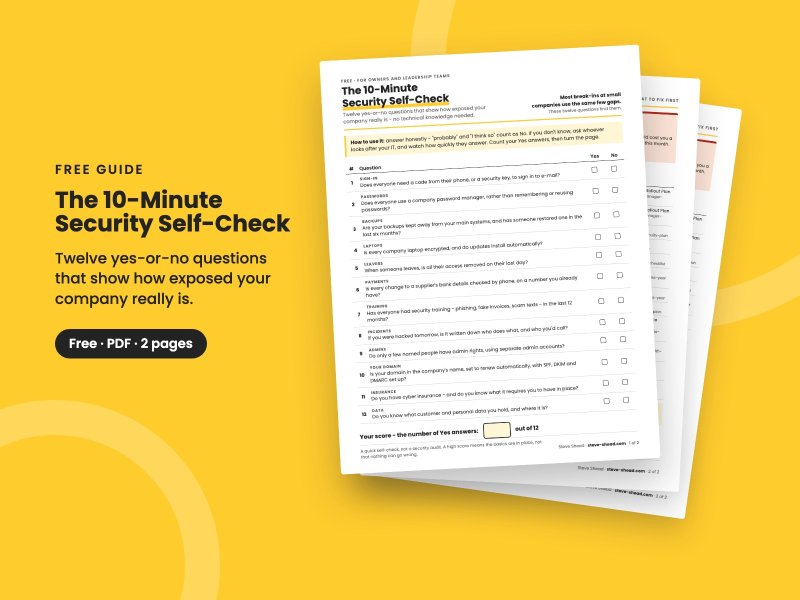
Free guide: The 10-Minute Security Self-Check - twelve yes-or-no questions that show how exposed your company really is.
Related reading
Not sure how your setup measures up? Let's talk. An hour with someone who's seen a lot of them usually finds the gaps.
Comments
No comments yet - start the conversation.
Log in to join the conversation.
Log in Create an account