The Microsoft 365 License Checkup
Find the Microsoft 365 licenses you pay for and don't need: people who've left, shared mailboxes with a license, accounts nobody uses, plans bigger than people need, unused add-ons, empty seats and tools you pay for twice - with the saving from each fix.
Microsoft 365 bills creep quietly. Someone leaves and their license stays. A shared mailbox gets a paid seat it doesn't need. Copilot goes to eight people and three never open it. Seats added in a rush never come off. Nobody is wasting money on purpose - nobody is looking.
This workbook takes you through it in an afternoon, with the export from your admin center and your last invoice.
What's in it
- Licenses: every plan and add-on you pay for - seats bought, the price, monthly or annual - with how many are actually assigned, what the empty seats cost, and what moving monthly terms to annual would save.
- Users: one row per licensed account, pasted from the admin center's export. Each row suggests a change and its saving: remove the license for someone who's left, make a shared mailbox license-free, check an account with no sign-in for weeks, move someone who only uses the web apps to a cheaper plan, or drop an add-on they don't use. You mark each one Do it, Keep or Check first.
- The Checks: twelve places Microsoft 365 bills leak, with where to look in the admin center - including paying for Zoom, Slack or Dropbox when Microsoft 365 already includes them, trials that turned into subscriptions, and renewal dates, since you can usually only reduce seats at renewal.
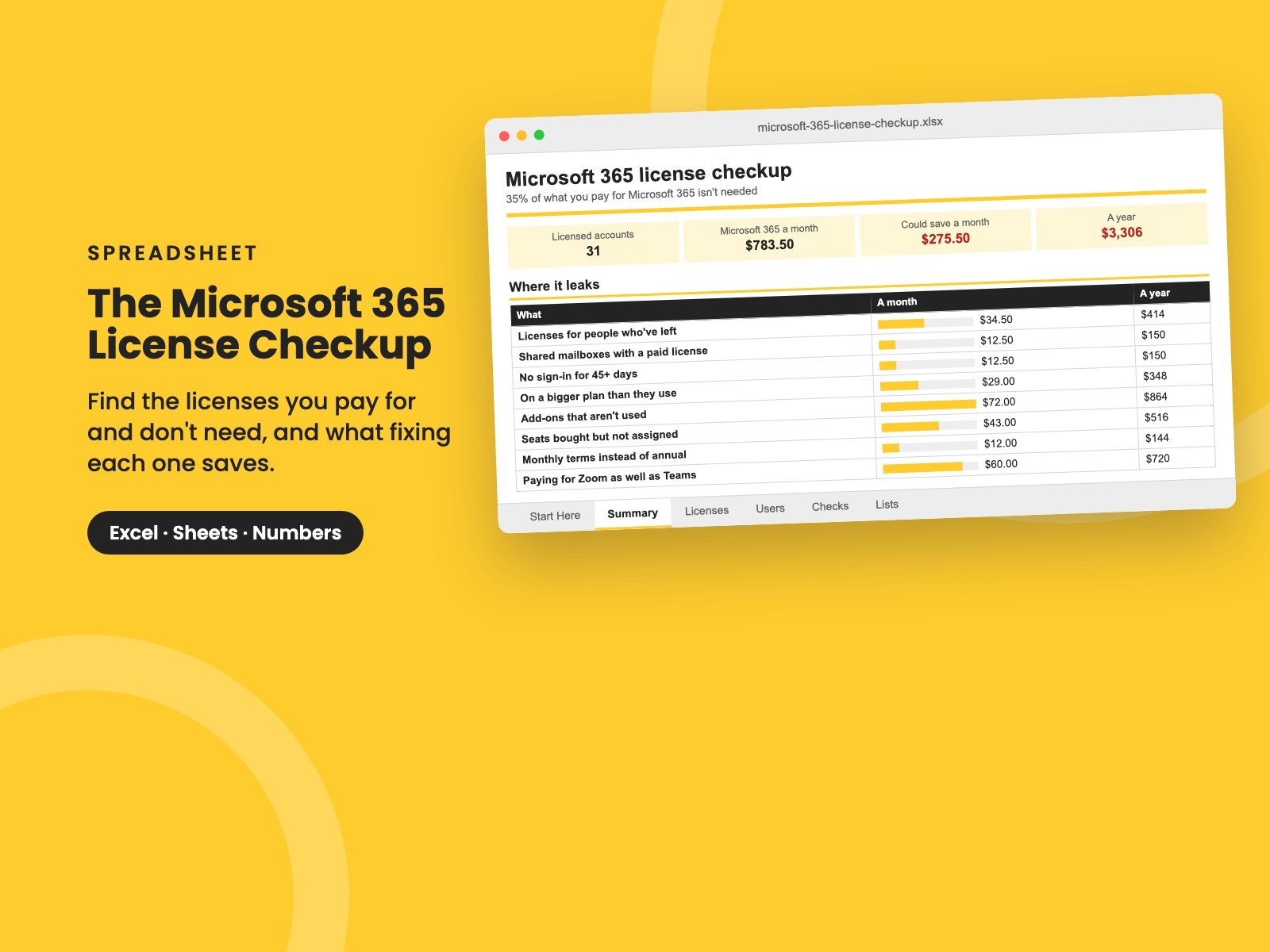
- Summary: what you pay a month and a year, where it leaks, the total you could save, and the savings you've decided to take.
It comes filled in with a made-up 31-person company paying about $780 a month, which turns out to be wasting about $275 a month - $3,300 a year. Clear the sample and the formulas stay. The prices are examples: use the ones on your own invoice.
Who it's for
Owners, office managers, finance leads and IT leaders at small and growing companies on Microsoft 365 - whether you manage it yourself or an IT provider does. You'll need someone who can sign in to the admin center and see billing.
It pairs with The Tech Spend Workbook, for everything else you pay for, and The Microsoft 365 and Google Workspace Security Check, for the settings while you're in the admin center. Leavers keep their licenses when offboarding is patchy - The Joiners and Leavers Checklist fixes that at the source.
It's a single Excel file. It also opens in Google Sheets and Apple Numbers.
Want them all? The Complete Collection has every guide in the store in one download, for less than a third of the price.
Reviews
No reviews yet.
Bought this? Log in to review it.
Log in