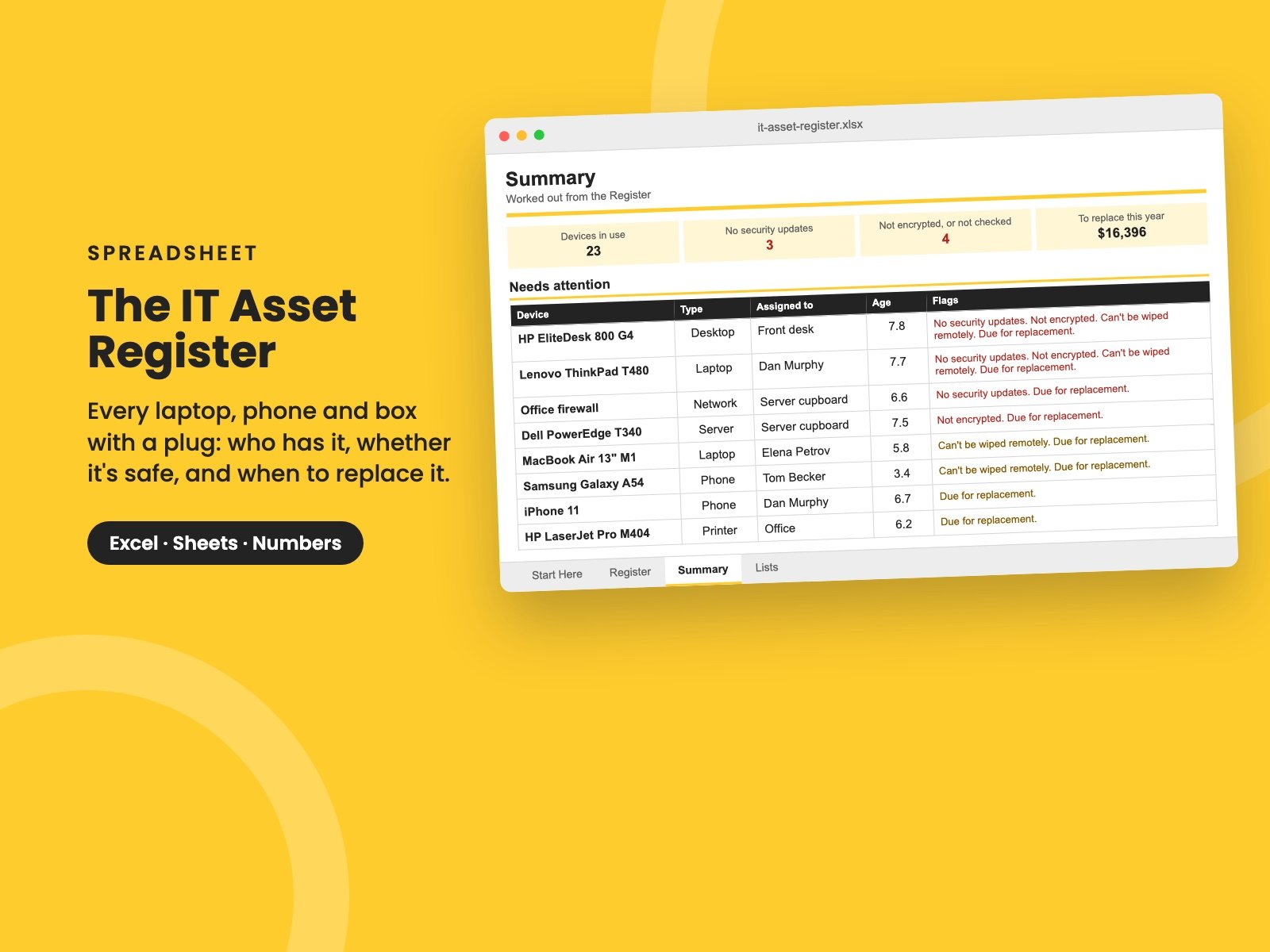
The IT Asset Register
Every laptop, phone and box with a plug in one list: who has it, the warranty, whether it still gets security updates, is encrypted and can be wiped, when to replace it, and a five-year replacement plan for the budget.
Ask most small companies how many laptops they own and you'll get a guess. Ask which ones are encrypted, which no longer get security updates, or what the person who left last month still has at home, and the guess gets worse.
It matters more than it used to. Insurers ask. Big customers ask. And when a laptop is left on a train, the first question is whether anyone can read what's on it.
This workbook gives you one list of everything, tells you what needs doing, and turns replacements into a plan instead of a surprise.
What's in it
- The Register: one row for each device - laptops, phones, tablets, screens, servers, network gear and printers. Record who has it, when you bought it, the warranty, the operating system, and three questions that matter most if it's lost: does it still get security updates, is it encrypted, and can you wipe it remotely? It works out each device's age, when it's due for replacement, and flags what needs doing.
- Needs attention: the twelve most urgent devices, worst first - no security updates, not encrypted, can't be wiped, due for replacement.
- The replacement plan: how many devices are due each year for the next five, and what they'll cost, ready for the IT budget.
- By type: how many of each, their average age, and how many are due, out of updates or unencrypted.
- Who has what: type a name and see everything that person has - for the day they leave.
You set how many years each type lasts. It comes filled in for a made-up company of about 20 people, with 26 devices, three of them no longer getting security updates. Clear the sample and the formulas stay.
Who it's for
Owners, operations managers and IT leads at small and growing companies who need to know what they have - for insurance, a security questionnaire, the budget, or the next person who leaves.
It covers equipment. For software and subscriptions, The Tech Spend Workbook tracks seats, costs and renewal dates.
It pairs with The IT Budget, where the replacement plan goes, The Joiners and Leavers Checklist, for getting equipment back, and The Cyber Insurance Readiness Checklist, since insurers ask about encryption and unsupported devices.
It's a single Excel file. It also opens in Google Sheets and Apple Numbers.
Want them all? The Complete Collection has every guide in the store in one download, for less than a third of the price.
Reviews
No reviews yet.
Bought this? Log in to review it.
Log in