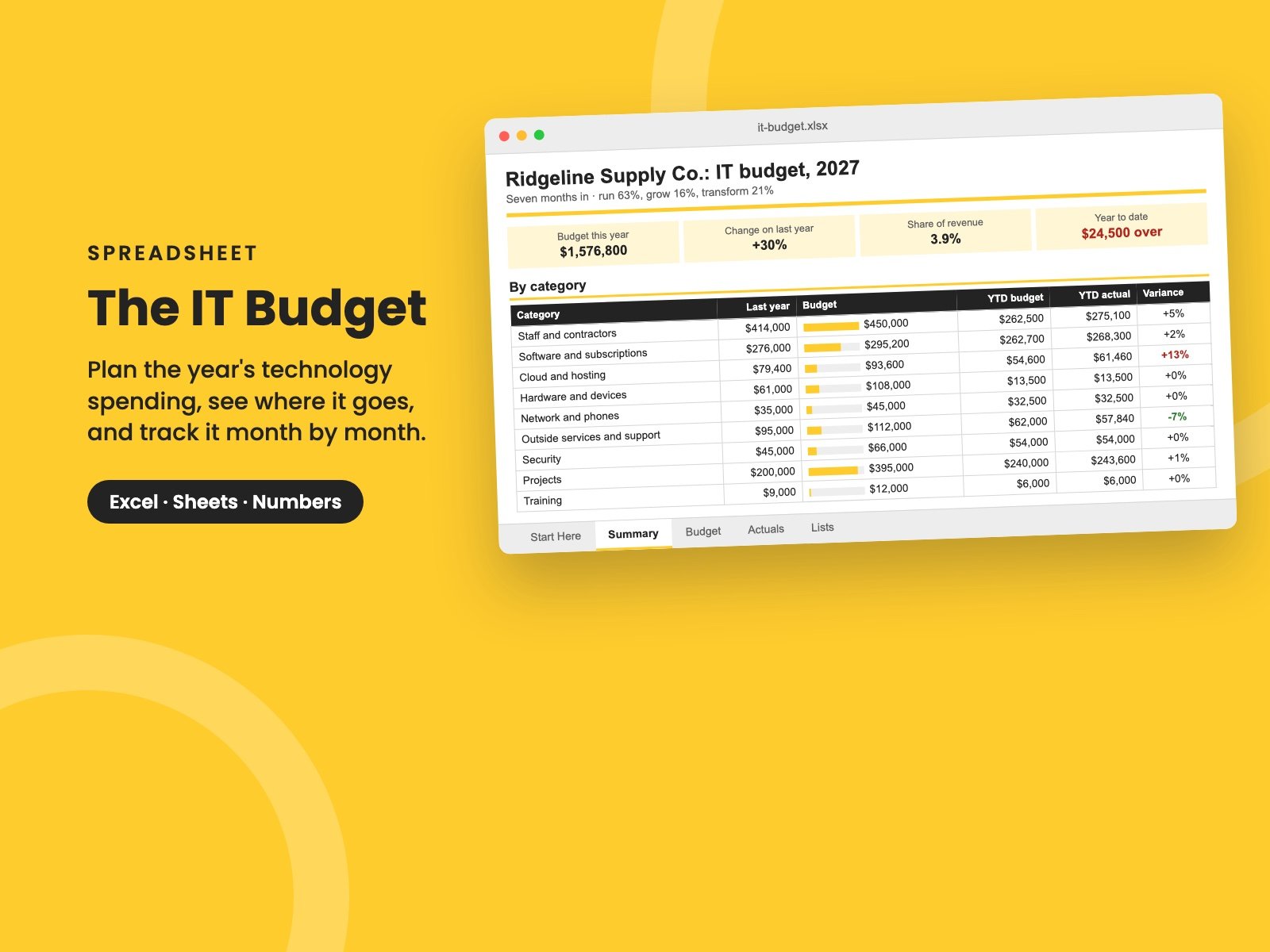
The IT Budget
Plan the year's technology spending line by line, see where it goes (run, grow or transform), and track actuals month by month against the budget, with a forecast for the year.
"What do we spend on technology?" is one of the first questions a board, an investor or a new CFO asks. At a lot of companies, nobody can answer it in under a week.
A good IT budget answers it in a glance, and more: where the money goes, how much of it just keeps the lights on, whether this year is tracking to plan, and what changed from last year and why.
This workbook gives you that, without a finance system.
What's in it
- The Budget: one row per cost, with its category, whether it's Run, Grow or Transform, an owner, last year's actual and this year's budget. Say how it's paid (monthly, quarterly or once a year, in a given month) and the 12 months fill themselves in. Anything rising more than 10% on last year is flagged, so you can explain it before someone asks.
- Actuals: what was actually spent, month by month, as each month closes, with each line's variance against its budget for the year so far.
- Summary: the year at a glance. It shows budget against last year, technology spend as a share of revenue and per employee, and the split between running, growing and transforming the business. Then each category against budget, a forecast for the year, and a month-by-month chart of budget against actual.
It comes filled in with a made-up company's year, seven months in and running a little over: cloud hosting and contractors are ahead of plan. Clear the sample and the formulas stay.
Who it's for
IT leaders, finance directors and owners who need a technology budget they can explain, and track, without waiting for the accounts.
It pairs with The Tech Spend Workbook (what you pay for, and what to cut), The Technology Roadmap (what the project lines are for) and The Quarterly Tech Board Report (how it's reported).
It's a single Excel file. It also opens in Google Sheets and Apple Numbers.
Reviews
No reviews yet.
Bought this? Log in to review it.
Log in