The AI Seat Checkup
Find the AI seats you pay for and don't need: people who've left, seats nobody uses, two tools for the same job, light users who'd manage with a free one, and tools on expense claims nobody approved - with the saving from each fix.
AI spending spreads quietly. Someone expenses ChatGPT Plus. Marketing buys Claude seats on a company card. Finance gets Copilot. A meeting-notes tool shows up on three expense claims. A year later you pay for four tools that do the same job, half the seats are barely used, and nobody can say which tools are holding company data.
This workbook takes you through it in an afternoon, with card statements, expense claims and each tool's admin page.
What's in it
- Tools: every AI tool the company pays for - on a contract, a company card or someone's expense claims - with the price, seats, billing term, renewal date and whether it's approved. It counts the empty seats and what they cost, works out what an annual plan would save, and flags tools on expenses, tools nobody approved and renewals coming up.
- Seats: one row per person per tool. Each row suggests a change and its saving: remove the seat for someone who's left, check a seat nobody has used, keep one of two tools that do the same job, or move a light user to the free AI that comes with Microsoft 365 or Google Workspace. You mark each one Do it, Keep or Check first.
- The Checks: twelve places AI spending leaks or slips out of sight - including AI features you already pay for in Zoom, Teams or Notion, personal accounts used for work, and pay-as-you-go API bills with no spending limit.
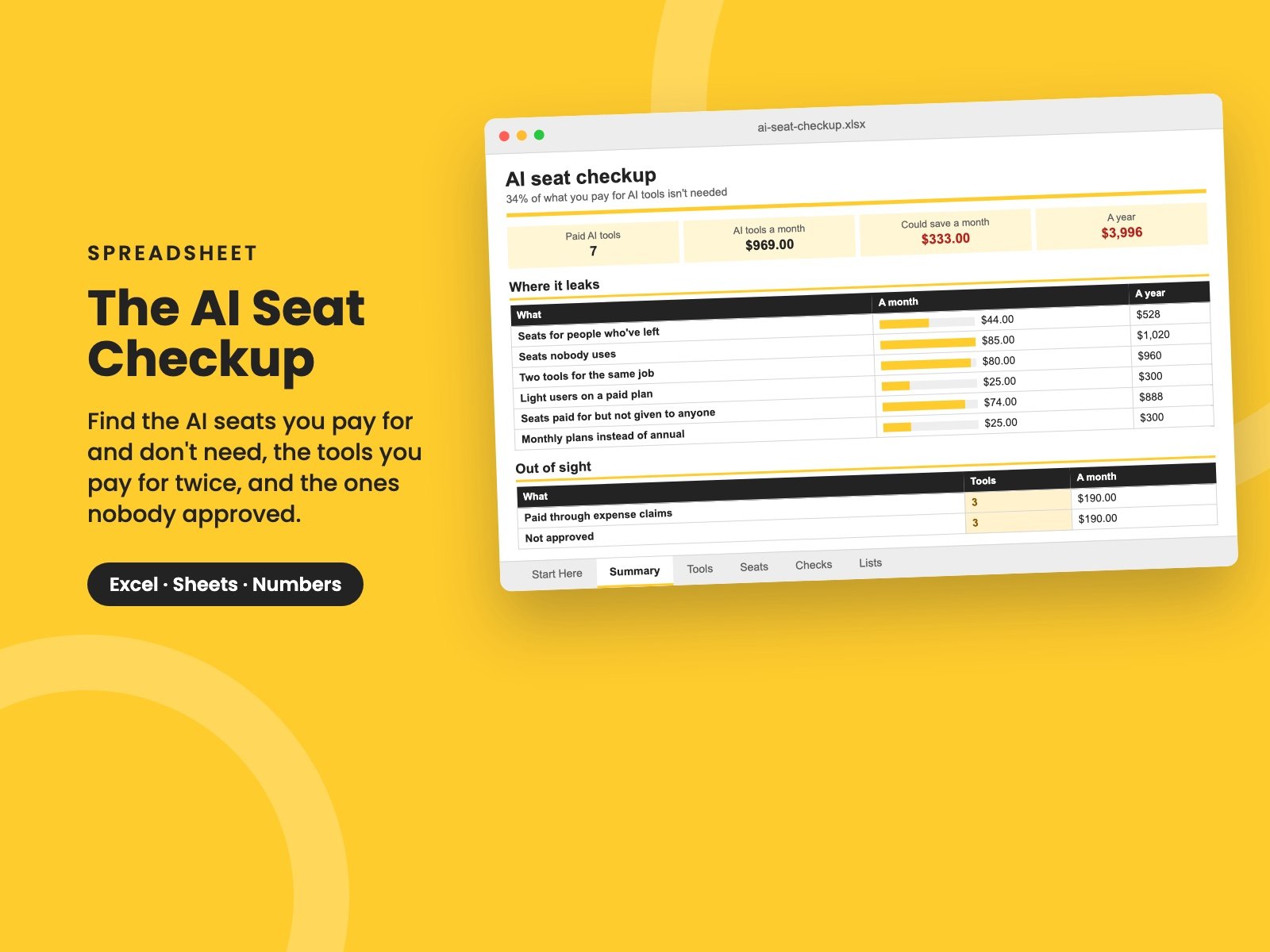
- Summary: what you pay a month and a year, where it leaks, the total you could save, what's out of sight - tools on expenses, tools nobody approved, renewals coming up - and the savings you've decided to take.
It comes filled in with a made-up 40-person company paying about $970 a month for seven AI tools, which turns out to be wasting about $333 a month - $4,000 a year - with three tools on expense claims that nobody approved. Clear the sample and the formulas stay. The prices are examples: AI vendors change them often, so use the ones on your own invoices.
Who it's for
Owners, finance leads, operations leads and IT leaders at small and growing companies where AI tools arrived one team at a time. No technical knowledge needed - just access to the card statements and each tool's admin page.
Found tools nobody approved? The AI Use Policy Starter sets the rules for which tools people can use and with what data, and The AI Vendor Questions checks a tool before you make it the company's one. For the Microsoft 365 licenses themselves, including Copilot, use The Microsoft 365 License Checkup.
It's a single Excel file. It also opens in Google Sheets and Apple Numbers.
Want them all? The Complete Collection has every guide in the store in one download, for less than a third of the price.
Reviews
No reviews yet.
Bought this? Log in to review it.
Log in