Most companies that switch IT providers spend weeks choosing the new one, and an afternoon thinking about leaving the old one.
That's the wrong way round. The new provider wants your business and will make onboarding easy. The old one is losing your business, and holds the keys to everything: the admin passwords, often the domain name, sometimes the licenses in their own name. Most providers are professional about it. But you don't want to find out which kind yours is after you've given notice.
Secure your access before you say anything
The single most important step happens before the old provider knows you're leaving.
- Your own admin login. Make sure someone at your company has their own administrator account for Microsoft 365 or Google Workspace - not a shared one, not the provider's - with multi-factor sign-in. Sign in and check it works.
- An emergency account. A second admin account with a long password, sealed and kept somewhere safe. If the first one fails, this gets you back in.
- Your domain name. Find out who registered it, and in whose name. If it's the provider's account, move it to one you control now. Losing the domain means losing your e-mail and your website.
- The licenses. Find out which software is bought through the provider and which is in your own name. Microsoft 365 licenses bought through a provider can be moved, but you want to know before the conversation, not during it.
- The contract. The notice period, the deadline to give it, any exit fees, and what the provider has to hand over. Read it now.
None of this is hostile. It's what good practice looks like anyway - and a good provider won't mind.
Then give notice, in writing
Send it on time, by e-mail, and keep proof of when it arrived. Quote the contract. Give an end date and a handover date, and attach a list of what you need back. Ask them to confirm who'll manage the handover on their side.
A friendly, specific letter gets better cooperation than a vague one. "Please provide admin access to all systems, a full export of the passwords you hold for us, and current documentation by the 15th" is hard to misunderstand.
What to get back
- Access: admin logins for everything they manage - the firewall, Wi-Fi, servers, cloud accounts and the domain registrar - and an export of every password they hold for you.
- Documentation: a network diagram, a list of devices and systems, how things are set up, and your other suppliers' contacts.
- Data and backups: where every backup is, how long it's kept, and how to restore it.
- Equipment: which hardware is yours, and which they own or lease to you.
Your new provider will know what's usually missing. Ask them to go through the list with you.
Plan an overlap
Expect to pay both providers for a month or so. That's normal, and it's cheaper than a gap. During the overlap the old provider keeps handling support requests, and the new one learns how everything works. Get both of them in a room - or on a call - early in the notice period, go through the list item by item, and agree a cutover date.
Cutover day
This is the step that gets forgotten:
- Change every admin password - the old provider still knows them.
- Remove their accounts, and their partner or delegated access to Microsoft 365 or Google.
- Remove their remote-access and monitoring software from every computer and server. Left in place, it's a way into your systems that nobody's watching.
- Check the backups are now running, and watched by the new provider.
- Tell staff how to get help from today.
- Cancel the old billing, and check the last invoice for anything charged after the end date.
If they won't cooperate
Most do. If yours doesn't, quote the contract's handover terms in writing, and escalate to their owner or director. Microsoft, Google and domain registrars all have processes to return control of accounts to the business that owns them. And if they're withholding your data, that's a conversation for a lawyer.
Make the next switch easier
Whoever you choose next, keep the admin accounts, the domain and the licenses in your own name, ask for the documentation every year, and review the provider before each renewal. A good provider is happy for you to hold the master keys. One that isn't is the best reason to switch.
Ready to switch? The Switching IT Providers Checklist covers what to secure before you give notice, everything to get back, a notice letter to edit, and cutover day step by step.
Not sure you should? The IT Provider Review checks whether your provider delivers what you pay for, before the renewal.
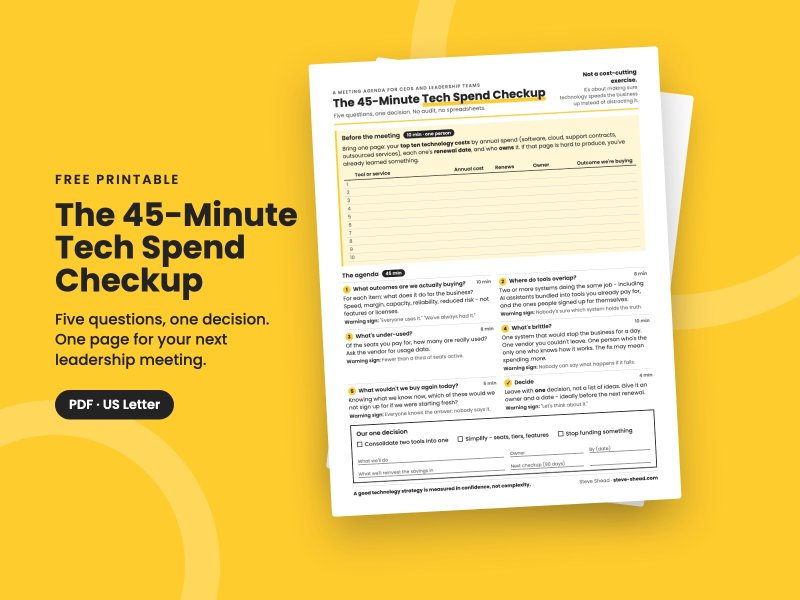
Free guide: The 45-Minute Tech Spend Checkup - a one-page meeting agenda for finding out whether your technology spending is working.
Related reading
Thinking about changing providers? Let's talk. An independent view before you sign the next contract can save a second switch.



Comments
No comments yet - start the conversation.
Log in to join the conversation.
Log in Create an account