The Vendor Selection Scorecard
Choose software on what you need and what it really costs: weighted requirements, a three-year cost for each option, red flags, a demo script and reference calls.
The best demo isn't the best product, and the cheapest quote isn't the cheapest choice.
Most software gets chosen on the strength of a polished demo, a deadline discount, or whoever someone already knew. The real costs (setup, moving your data, connecting systems, your own team's time, price rises at every renewal, and what it costs to leave) turn up later.
This workbook helps you decide what you need before you see a demo, score every vendor the same way, and count every cost.
What's in it
- The Scorecard: write your requirements first and mark each one must have, important or nice to have. Then score up to four vendors on each. A vendor that fails a must-have is out, however well it scores elsewhere.
- 3-Year Cost: everything each option costs over three years, not just the subscription. It includes one-off costs, yearly costs with price rises, and the cost of leaving.
- Checks: the red flags to watch for, what to make them show you in the demo, the questions to ask their customers, and a log of your reference calls.
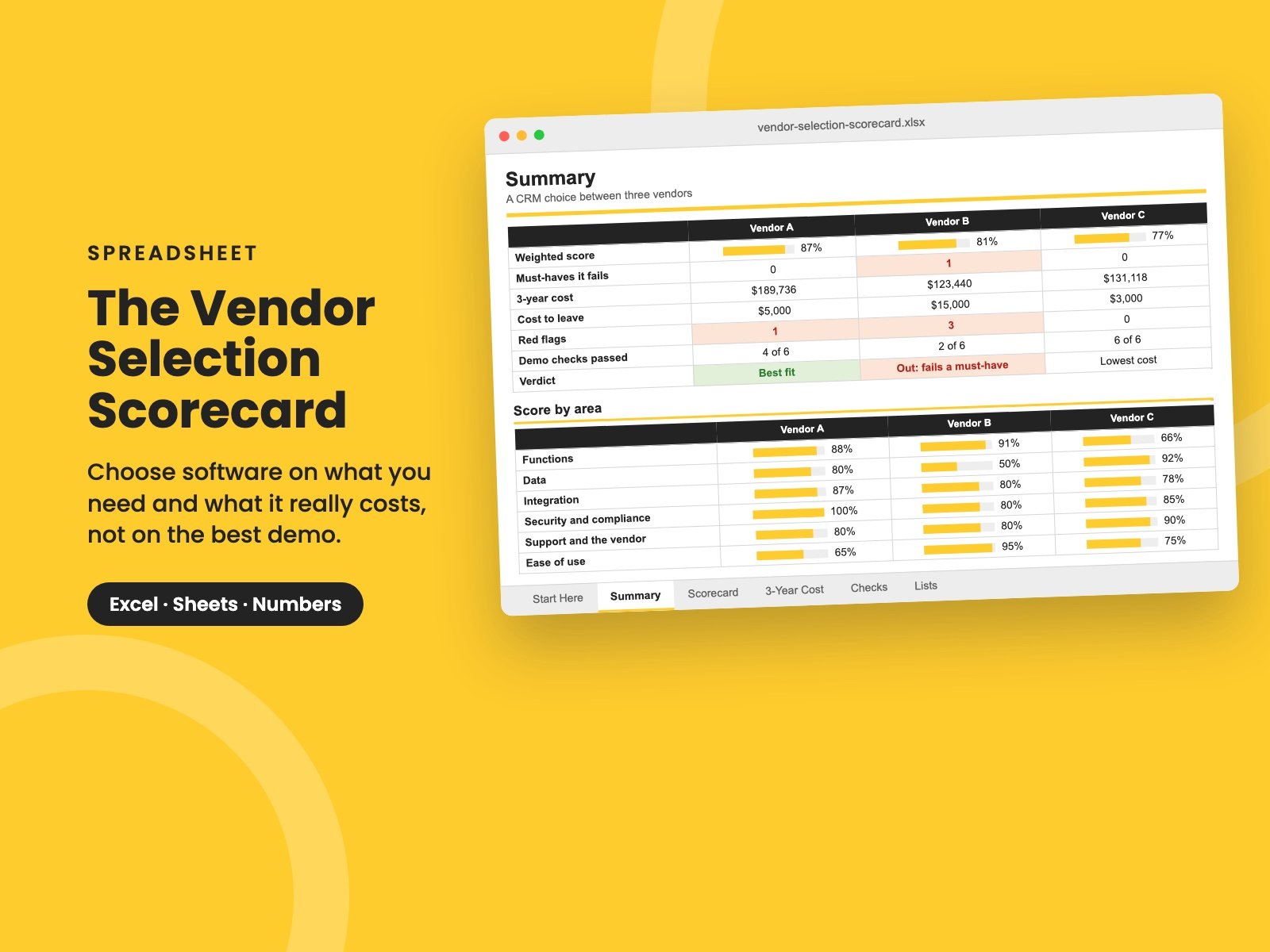
- Summary: each vendor's weighted score, any must-haves it fails, its three-year cost, red flags and references, a score by area, and a verdict: out, best fit, or lowest cost.
It comes filled in with a made-up CRM choice between three vendors, so you can see it working. Clear the sample and the formulas stay.
When you've chosen, take the contract through The Vendor Contract Review Checklist before you sign.
Who it's for
Owners, CEOs, finance leaders and IT managers choosing a CRM, an ERP, a help desk or any other business system, especially when the decision will be hard to undo.
It builds on The 45-Minute Tech Spend Checkup Every CEO Should Run and The "Later" Tax.
It's a single Excel file. It also opens in Google Sheets and Apple Numbers.
Reviews
No reviews yet.
Bought this? Log in to review it.
Log in