I built a thing, mostly because I needed it.
As a fractional CIO, my work doesn't fit neatly into most invoicing tools. Some clients are on a monthly plan, some buy extra hours, and some projects bring in contractors who bill me at one rate while I bill the client at another. Every tool I tried either ignored half of that or made me work around it.
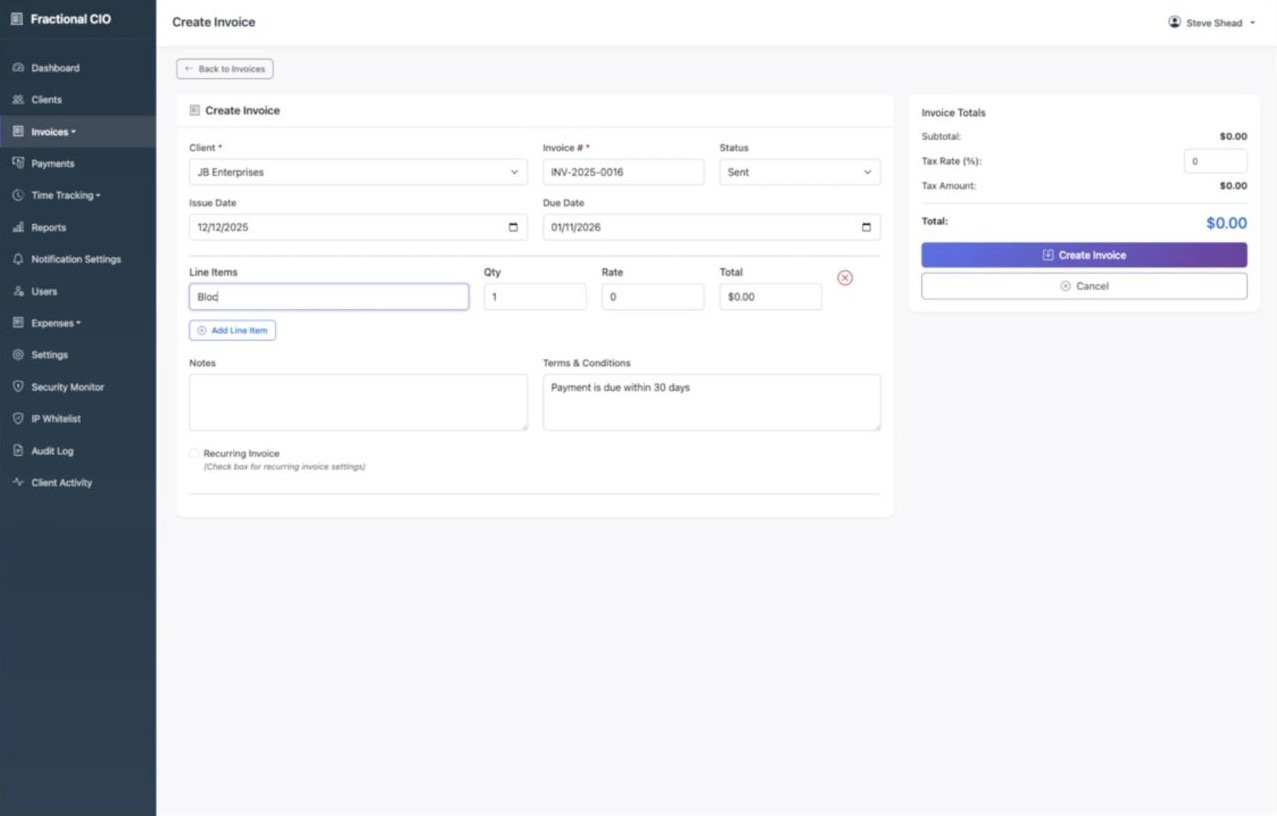
So instead of forcing a tool to fit, I started with a simple MVP: clients, invoices, payments. Then I built from there.
Then curiosity took over
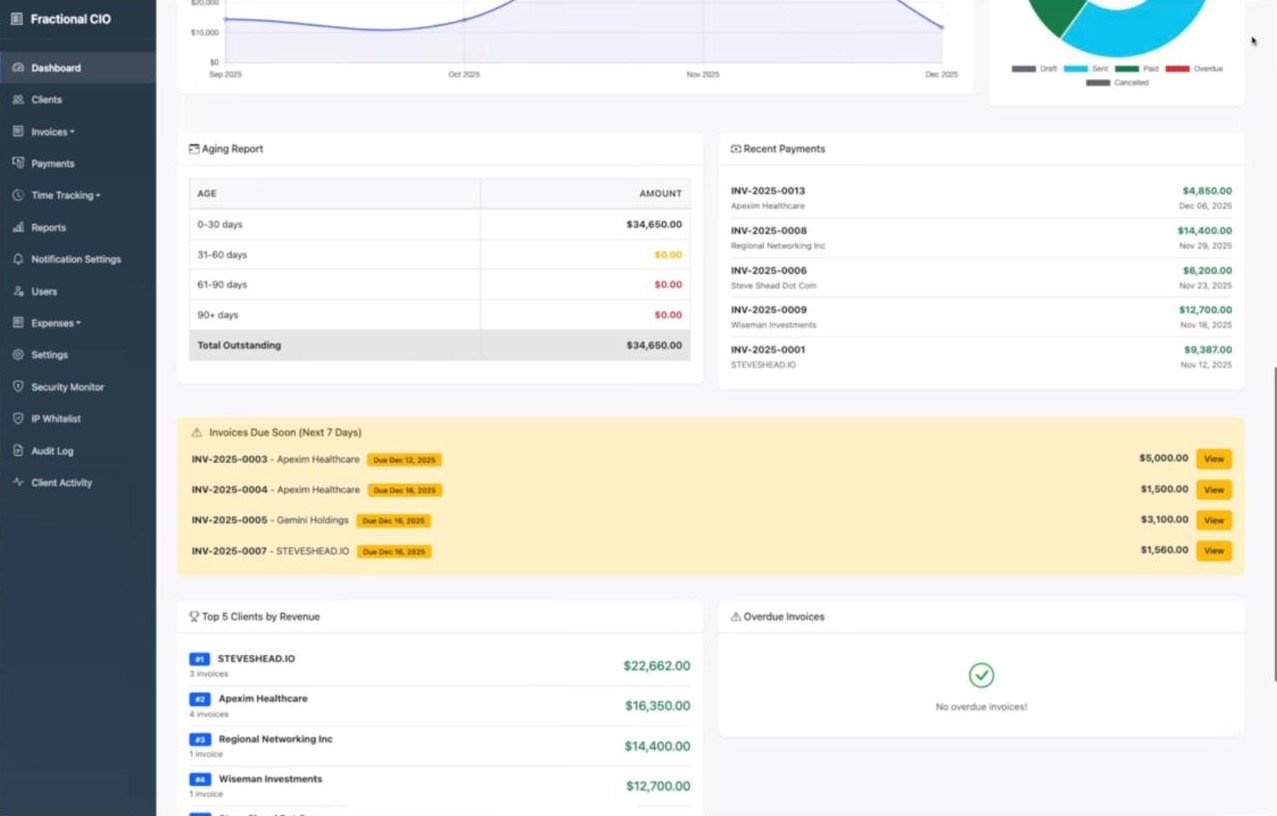
Every feature after the first version came from a real "what would make this clearer or easier?" moment.
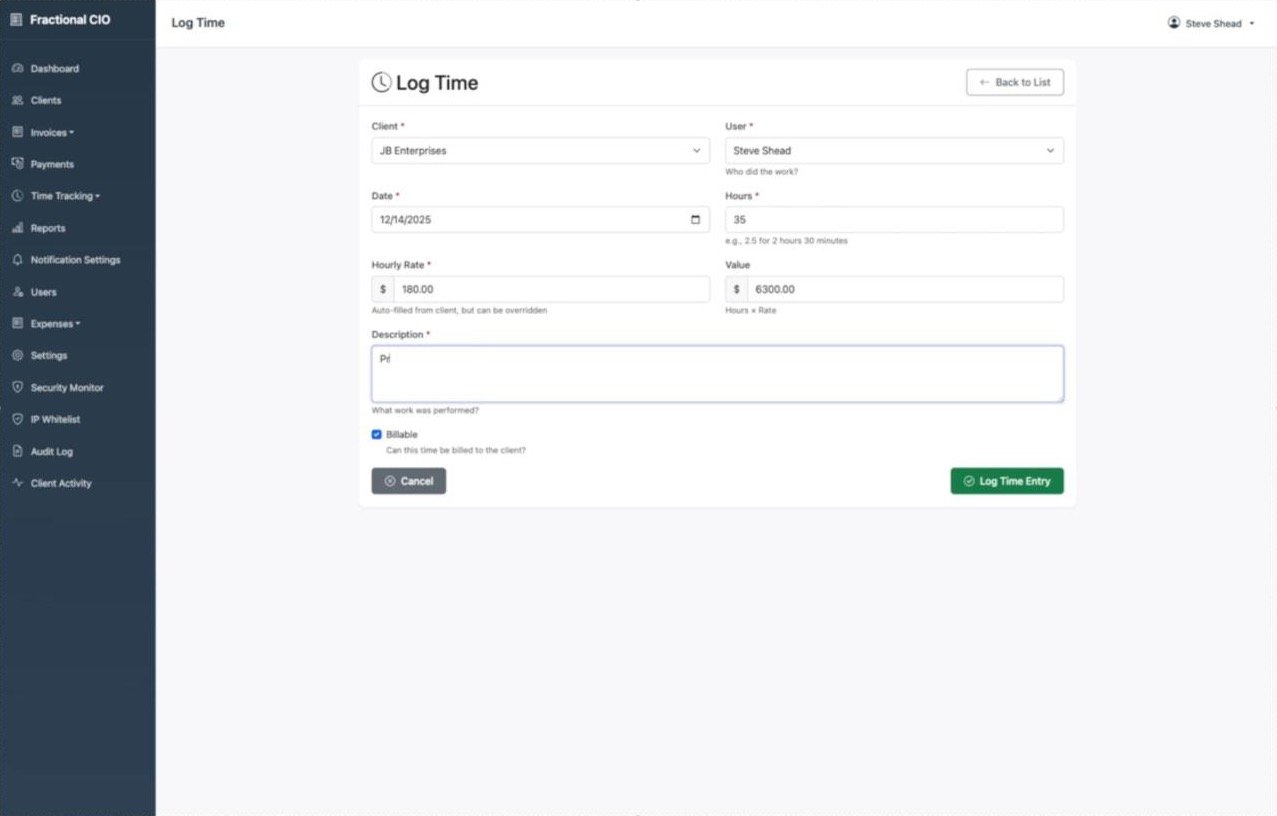
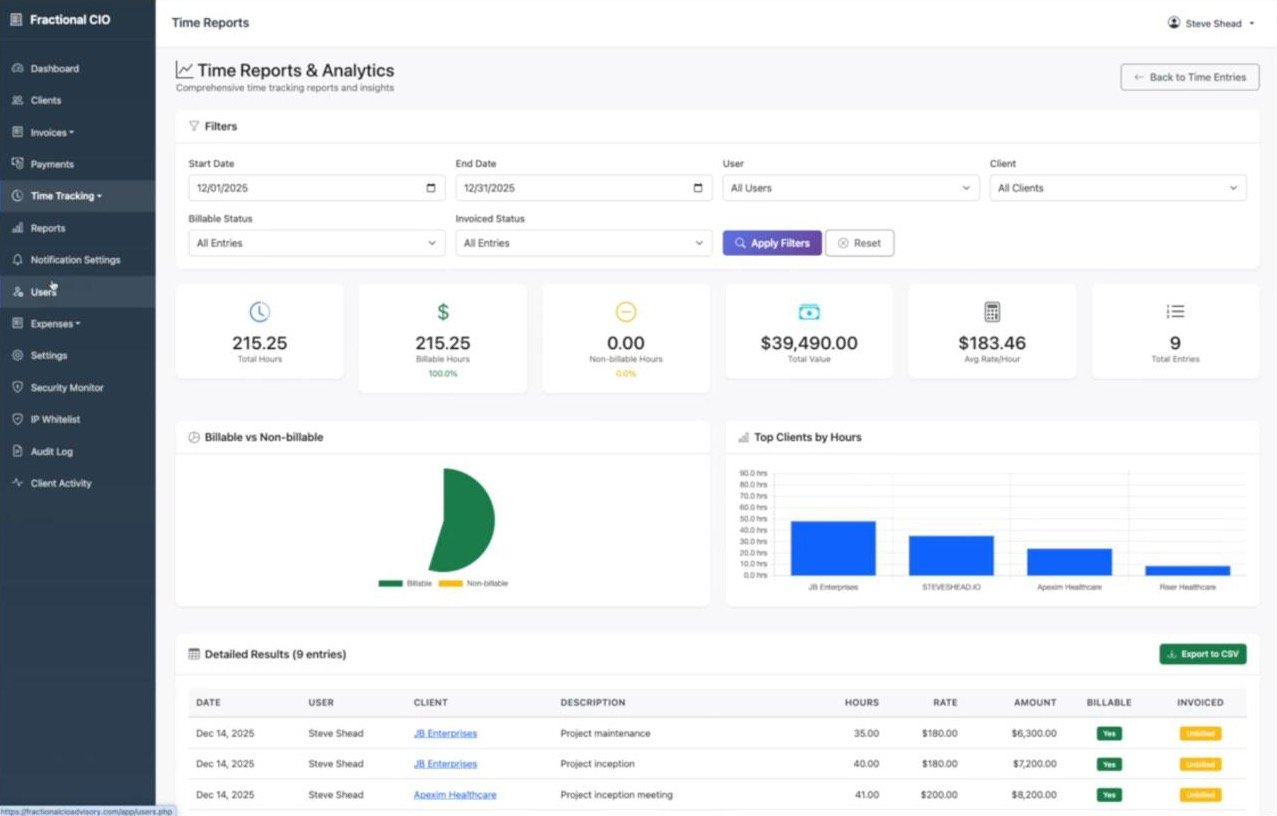
- Time tracking, because most of what I bill starts as hours. Log time against a client, mark it billable or not, and turn approved hours into an invoice in one step.
- Expenses, including recurring ones, so the numbers show what an engagement really costs, not just what it brings in.
- Contractor billing with two rates. Each contractor has the rate I pay them and the rate the client pays me. The app tracks both, so the margin on every hour is visible, and I can see at a glance who I owe and what hasn't been invoiced yet.
- Portals. Clients log in to see and pay their invoices through Stripe. Contractors log in to submit time and see when they've been paid.
- Reports and metrics: revenue trends, aging, margins, unbilled time and time by client.
Why vanilla PHP
It's built with plain PHP, JavaScript and Bootstrap 5. No framework.
That wasn't the fastest path. I chose it because I wanted clarity and control: a system I understand end to end, where nothing happens that I can't trace. When something breaks, I know where to look. When I want to change something, I'm not fighting someone else's assumptions.
It's also built with the things I'd expect a client's system to have: an audit log, login protection and rate limiting, and a security monitor.
What building it taught me
This isn't really about the app. It's about how I approach systems:
- Start with the smallest thing that works. The first version was deliberately boring, and it was useful from day one.
- Let real work drive what comes next. Every feature came from a moment of friction, not a feature list.
- Understand what you depend on. Simple tools you fully understand beat clever ones you don't.
It's the same advice I give clients about their own technology. Build simply, expand thoughtfully, and stay close to the work the system is meant to support.
Built out of necessity. Iterated with intent.
Related reading
Curious how it works, or thinking about a similar build for your own business? Get in touch.
Comments
No comments yet - start the conversation.
Log in to join the conversation.
Log in Create an account